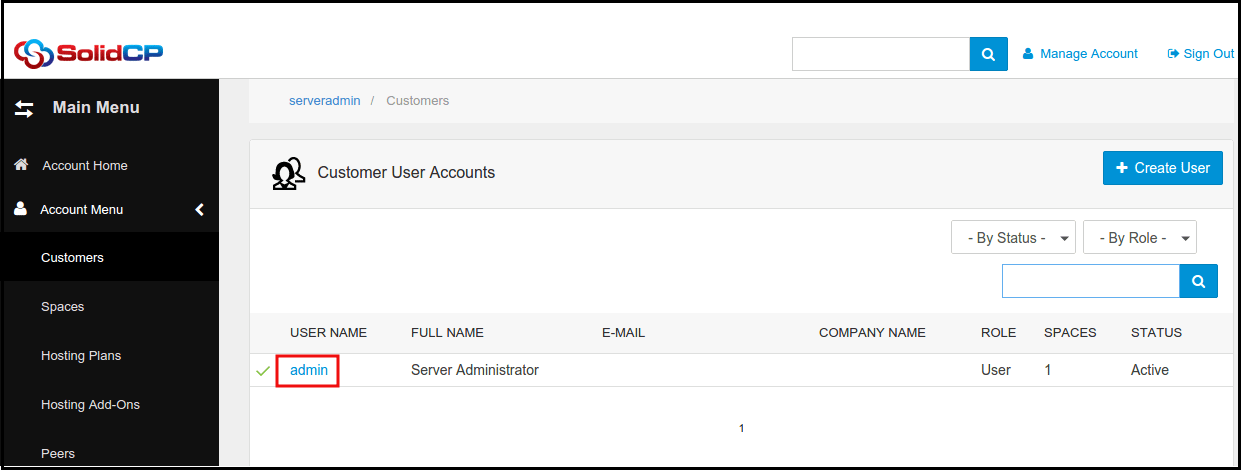
How to change ASP.Net application pool from SolidCP
Related Articles
Change Application Pool of a Website in IIS
Change Application Pool of a Website in IIS Login to your VPS. Open Start > Administrative tools > IIS Manager.> Expand the “Sites” folder from left-side panel. Select the particular website which is facing 'targetFramework' error. Right click on the ...
Change Application pool in IIS
Follow below steps to change the application pool from IIS Login to your VPS via Remote Desktop. Open IIS Manager (Start > Run > Type inetmgr and hit enter). Under the Connections Pane, expand the VM hostname. Expand Sites and select the website whom ...
Change ASP.NET Framework Version for your domain or subdomain in Plesk
Change ASP.NET Framework Version for your domain or subdomain in Plesk Description: ASP.NET is an open-source server-side web application framework designed for web development to produce dynamic web pages developed by Microsoft to allow programmers ...
Creating Virtual Directory for ASP.Net application
Creating a Virtual Directory for ASP.Net application Description: A virtual directory is a link to an existing physical directory that is present on the server's hard disk. Virtual directories can have a number of specific settings like custom ...
Changing the ASP.Net version for Virtual Directory/Website Virtual Directory
Changing ASP.Net Version for your Virtual Directory. Description: Virtual directories allow you to run multiple web applications on a single domain In virtual directories, the directory is accessed using the folder path instead of the subdomain name. ...