TS Plus Application publishing
Application publishing
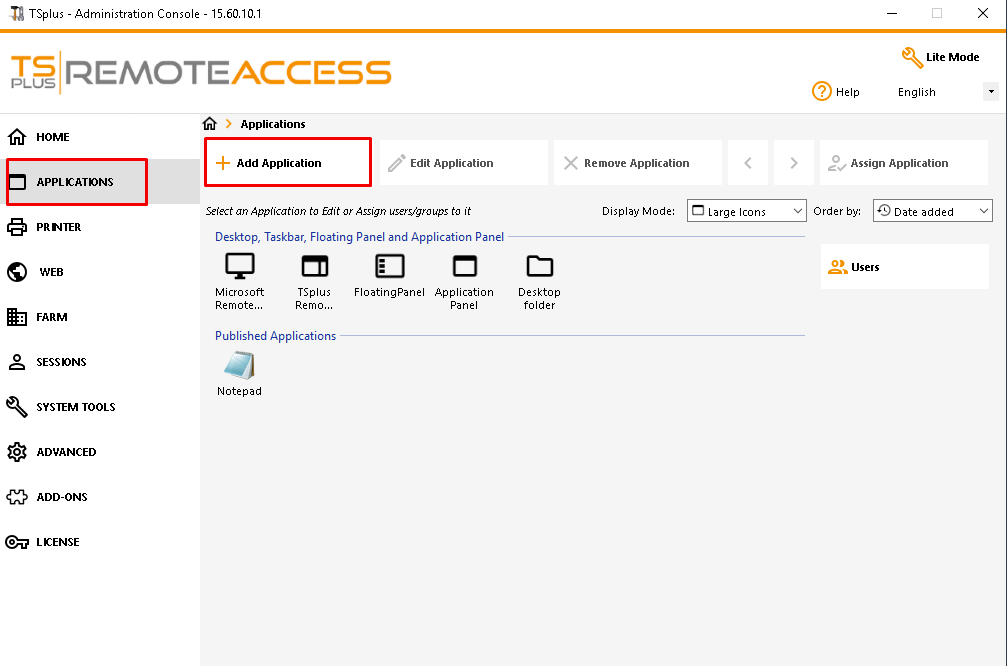
Step 1: To publish an application, click on the “Add a new application” button
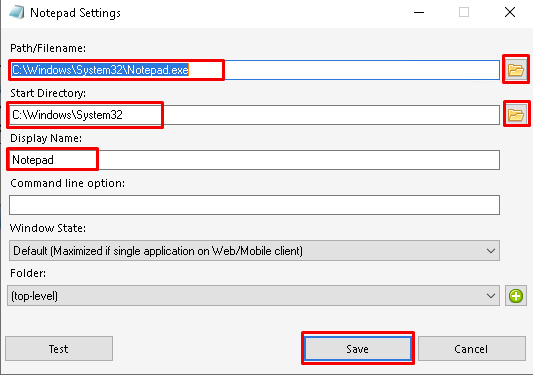
Step 2: locate the path of the executable of your application by clicking on browse then set a name for this application in the dedicated field. You must click on the “Save” button to store any modification.
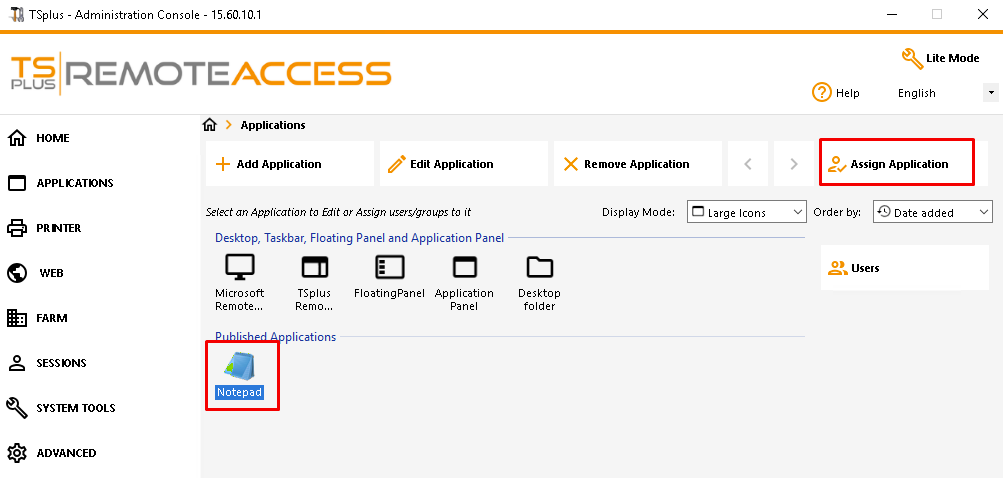
Assigning Applications to Users or Groups
Step 1: Double-click on the application you wish to assign or click on the application, then on the “Assign Application” button.
Step 4: click on “Add”.
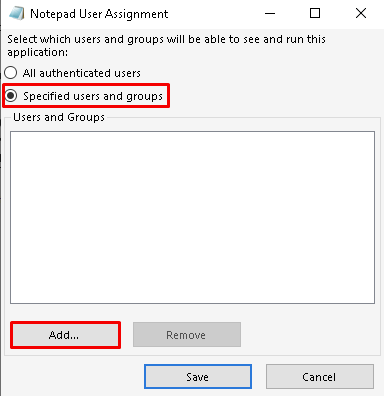
Step 5: Then enter the name of the user or group you wish to assign the application.
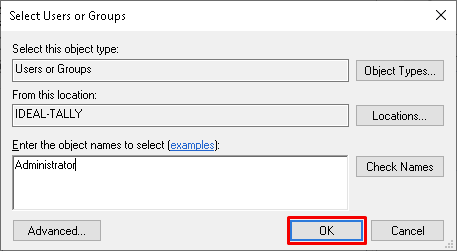
Step 6: Click on “Save”.
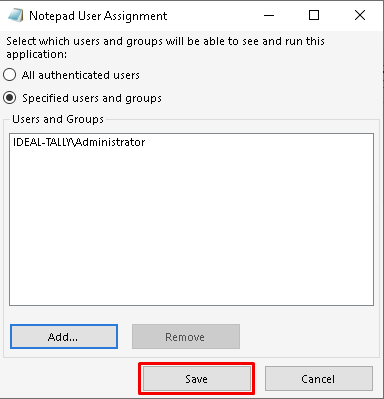
Access the published application through the browser.
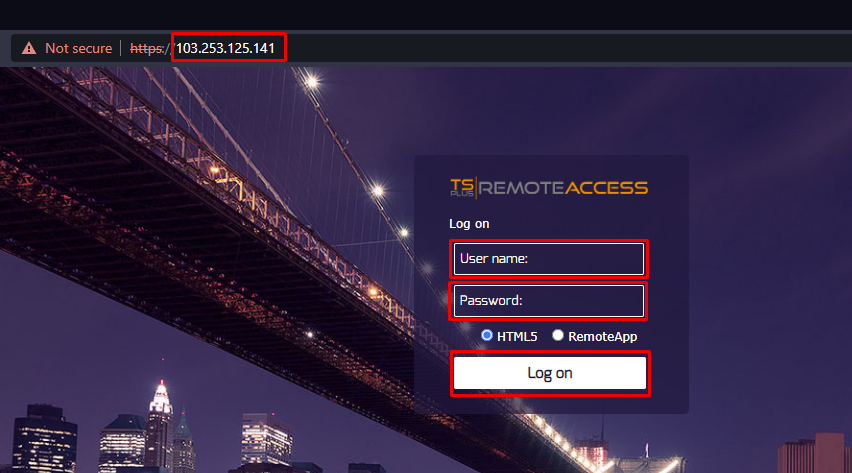
Step 1: Type the server IP address in your browser and hit enter. The default TS plus login page should open. Enter your username and password
Related Articles
Change Application pool in IIS
Follow below steps to change the application pool from IIS Login to your VPS via Remote Desktop. Open IIS Manager (Start > Run > Type inetmgr and hit enter). Under the Connections Pane, expand the VM hostname. Expand Sites and select the website whom ...Application Pool Recycling through Plesk Windows
Application Pool Recycling through Plesk Windows Description: Recycling means the worker process that handles requests for that application pool is terminated and a new one started. This is generally done to avoid unstable states that can lead to ...Creating JAVA Web Application/ deploying WAR file
You can use Java Application packages for your web site in the Web Archive Format (WAR) To install a Java Application login into your Pleak Control Panel. Login into Plesk Control Panel and go to the Website & Domains tab click on Show Advance ...Add applications through the application manager
Add applications through the application manager Description : This functions as a local repository and an apps management tool. The repository functionality allows you to add, update, and remove app packages. Using the management capabilities, you ...Creating Virtual Directory for ASP.Net application
Creating a Virtual Directory for ASP.Net application Description: A virtual directory is a link to an existing physical directory that is present on the server's hard disk. Virtual directories can have a number of specific settings like custom ...