Configuring authenticated email form delivery with PHPMailer
Objective: We have disabled the support for script through mails without authentication along with the up-gradation to Plesk. If a website uses a feedback or any mail sending script, then it has to be updated to ensure that it uses authenticated SMTP relay.
The traditional mail() function in PHP does not support SMTP authentication. Hence we recommend the use of PHPMailer class function, which is an open source and secure script for enabling the same:
PHPMailer Installation and sample code - https://github.com/PHPMailer/PHPMailer
Note : The PHPMailer class files can also be found in the attached archive with this KB article. This attached archive has enough examples scripts ready for your help.
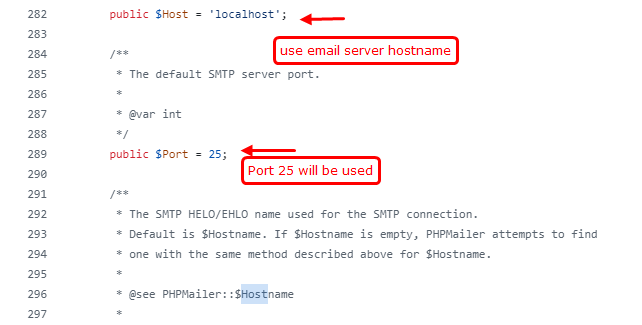
public $Host = 'localhost'; --> here use your email server hostname as mail.<your-domain-name>
public $Port = 25;
public $SMTPAuth = true;
public $Username = '<Created-Email-ID>';
public $Password = '<Password>';

$mail->SMTPSecure = "ssl";
Also don’t forget to enable IMAP and POP access for the mentioned Google apps account and enable access for less secure apps, as shown in the screenshot bellow.
.png)
Important: Please make sure not to use the visitor's email id from the feedback form input in 'From' field of the email generated. Due to email server's security settings, emails from remote domains will not be relayed through authenticated SMTP. So use an valid email id from your own domain in the from field of the generated email and pass the visitors email id as information filed in generated message body.
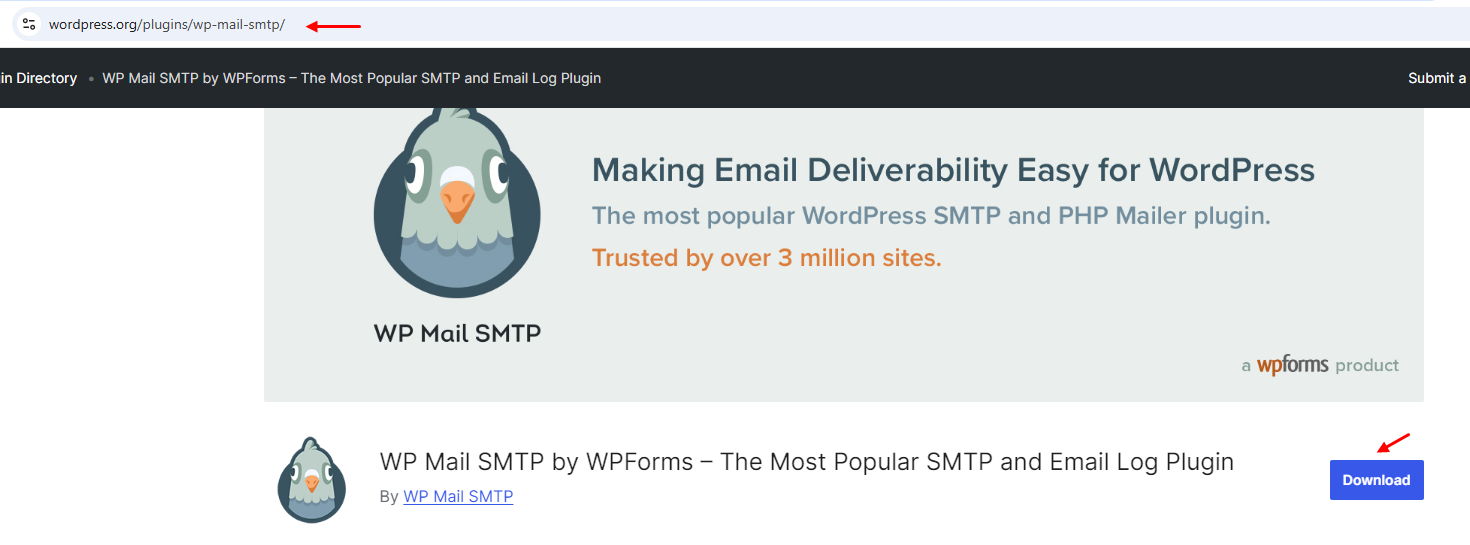
For WordPress, a plugin is required to enable the SMTP configuration feature.
You can download the necessary plugin from: https://wordpress.org/plugins/wp-mail-smtp
Related Articles
Enable Sendmail mail relay in Plesk without authentication
Enable Sendmail mail relay in Plesk without authentication Symptoms: Mails generated by contact forms or scheduled tasks are not sent. Cause: The Sendmail utility is disabled. Resolution: Allow users and scripts to use Sendmail. 1. Log in to Plesk. ...Server-Wide Email Settings in Plesk
Server-wide Email Settings in Plesk For managing Server Wide Email Settings in Plesk, you may follow the below options once you Login into the Plesk Panel. General options Outgoing mail mode Relay options Turn on limitations on outgoing email ...Email id configure on ipad and iphone.
IPad IPhone Zimbra NE incoming and Outgoing Server Details Email id configure on iPad # Step: 01 1. For configuring email id on ipad, please open the iPad and click on the email icon available at the iPad dock. # Step: 02 2. Now croll down and tap on ...Email Scout Report (ESR) for spam mail quarantine report
Email Scout Report (ESR) for quarantine spam mail report To enable daily wise spam quarantine report in spam expert Step-1 Login into the spam filter > click on Incoming > Logs / Outgoing > Logs > Using the filters in the Query Rules panel, select ...Outgoing email is blocked in M365
Emails for your user's Microsoft 365 account are blocked and cannot be used for sending or receiving emails. The most common reason for this is that your email address is suspected of sending spam and it's no longer allowed to send an email. ...