How to add a website in SolidCP
Steps to follow to add a website in SolidCP
- Login to SolidCP
- Once you are logged into SolidCP, click on All Customers link.
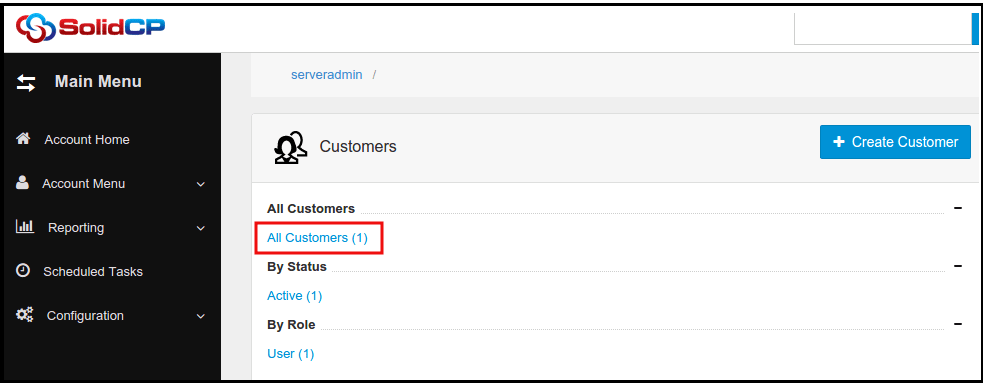
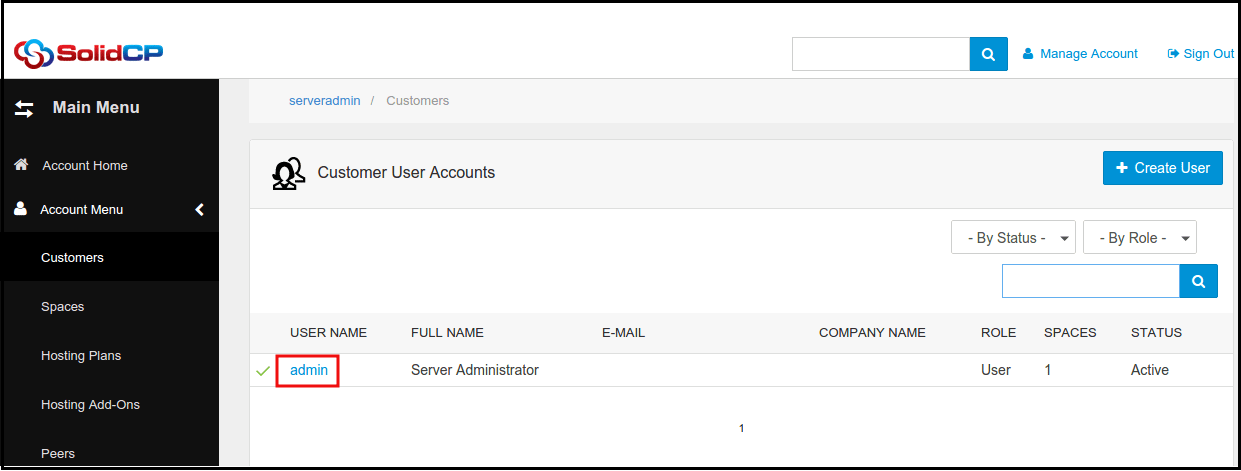
- In the next screen, you will see the list of all created users. If you have not created any user yet, you'll see the default admin user there. Click the username link under whom you want to add a website.
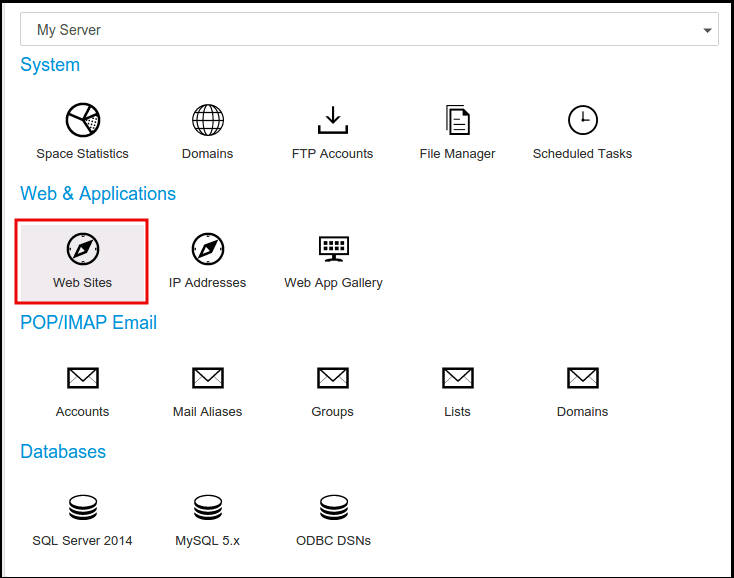
- In the next screen, you will see icons for all the services you can manage from the SolidCP. To add a new website, click Web Sites icon.
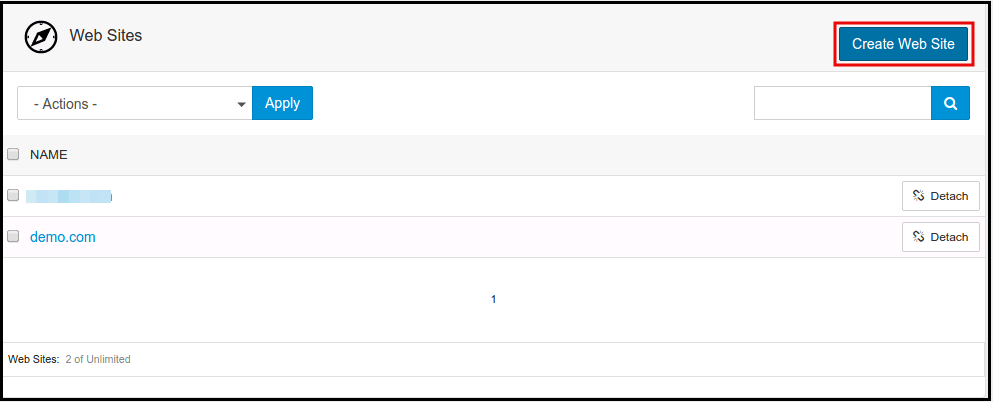
- In the next screen, you will see a list of previously created websites. To add a new website, click on Create Web Site button.
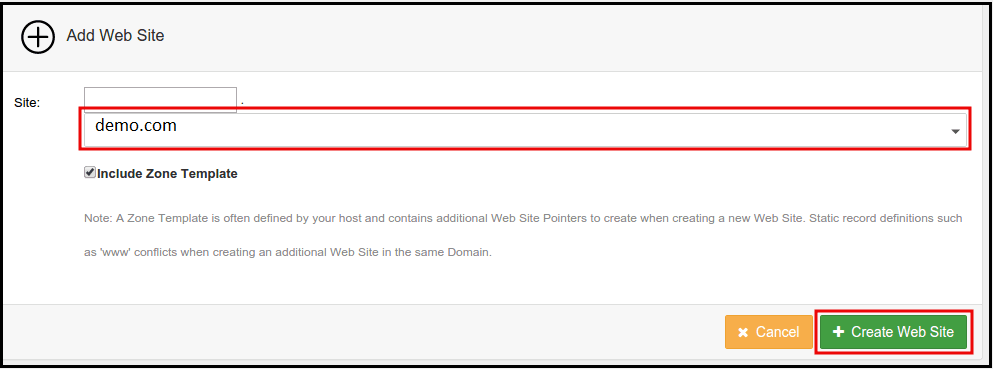
- If you want to add website without any prefix then keep the first text box blank. Select your domain name from the drop-down menu. Keep Include Zone Template checkbox checked, and click on Create Web Site button.
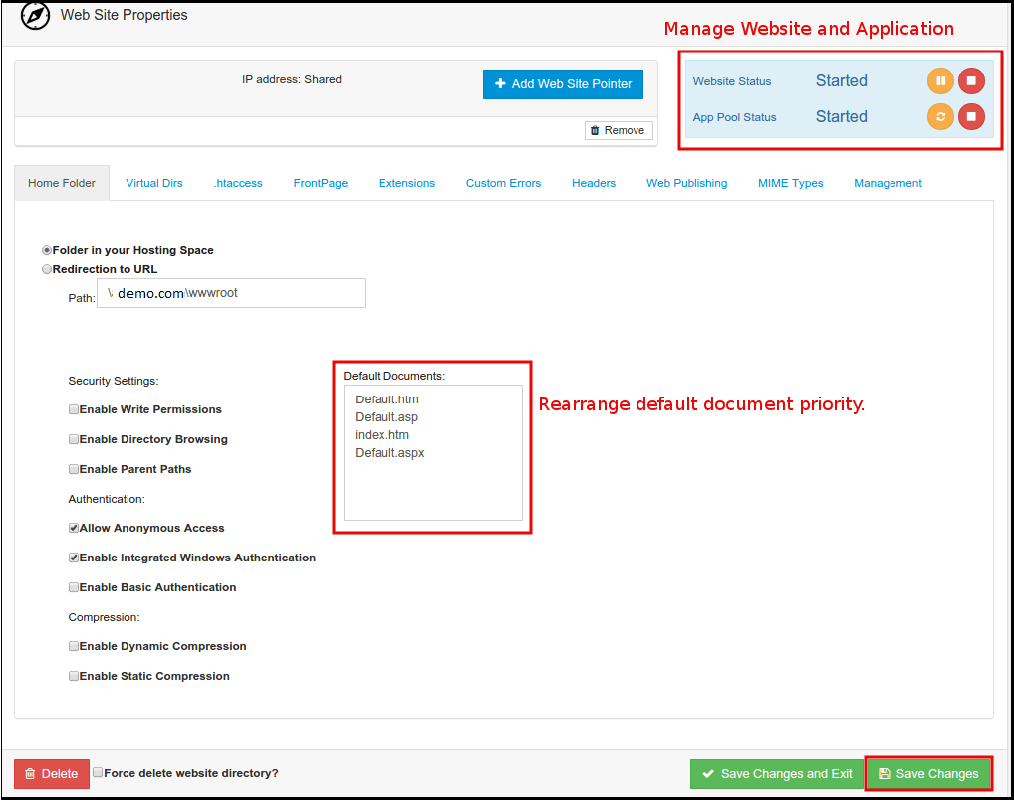
- Once new website is created, you will see Web Site Properties page. Select Folder in your Hosting Space radio button and browse to the path of your web application. If you want to redirect your website to some URL, select Redirection to URL radio button. Click on Save Changes button.
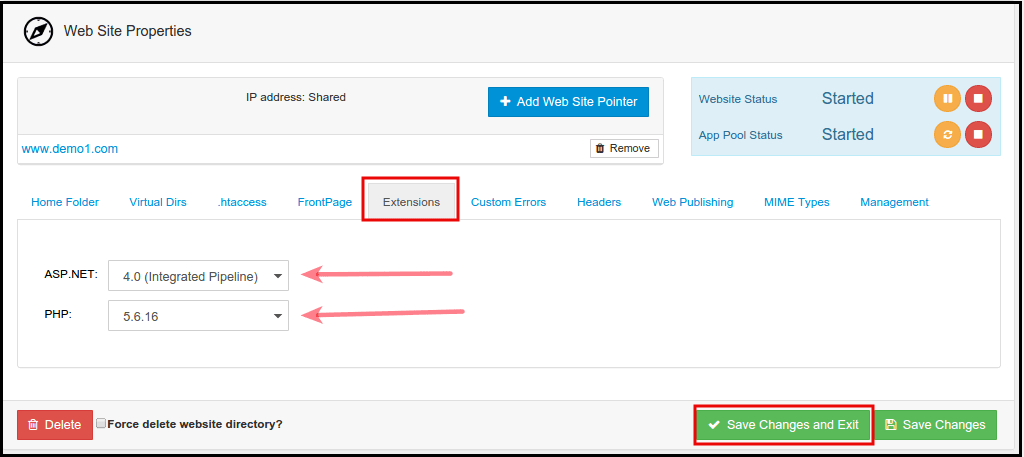
- Click on Extensions tab to change the Application Pool or PHP version of your website.
Related Articles
How to add domain in SolidCP
Steps to follow to add a domain in SolidCP Login to SolidCP Once you are logged into SolidCP, click on All Customers link. In the next screen, you will see the list of all created users. If you have not created any user yet, you'll see the default ...
How to add virtual directory from SolidCP
Steps to follow to add virtual directory in SolidCP Login to SolidCP Once you are logged into SolidCP, click on All Customers link. In the next screen, you will see the list of all created users. If you have not created any user yet, you'll see the ...
How to add a sub-domain in SolidCP
Steps to follow to add a sub-domain in SolidCP Login to SolidCP Panel Once you are logged into SolidCP, click on All Customers link. In the next screen, you will see the list of all created users. If you have not created any user yet, you'll see the ...
SolidCP SSL Installation
How to install Let's Encrypt SSL Certificate on a Website in Solid CP SSL certificate can be installed on Window 2016 and Window 2012 servers. It will not work with Window 2008 OS. Following are the steps to install the SSL on Solidcp. Important ...
Installation and Configuration of SolidCP Control Panel on Windows
Installation and Configuration of SolidCP with Windows OS The following is required in advance: Windows Server (2003 or above) SQL Server (2005 or above) Download and install Web Deploy: http://www.iis.net/downloads/microsoft/web-deploy Download and ...