How to add an email account in SolidCP
Steps to follow to add an Email account in SolidCP
- Login to SolidCP.
- Once you are logged into SolidCP, click on All Customers link.
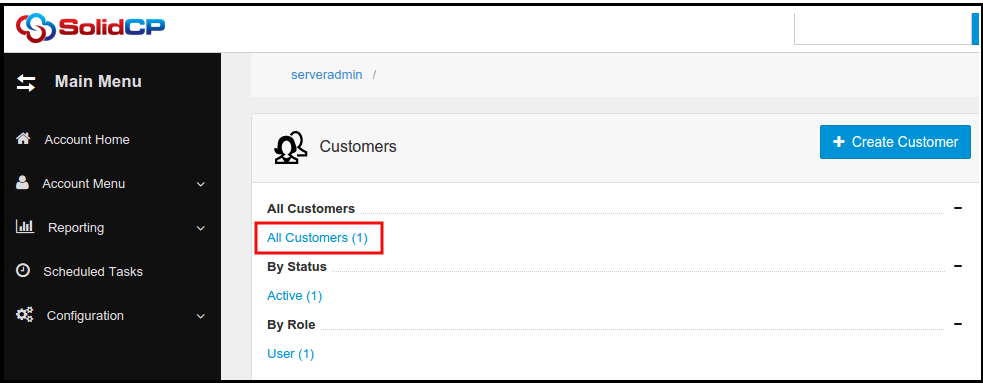
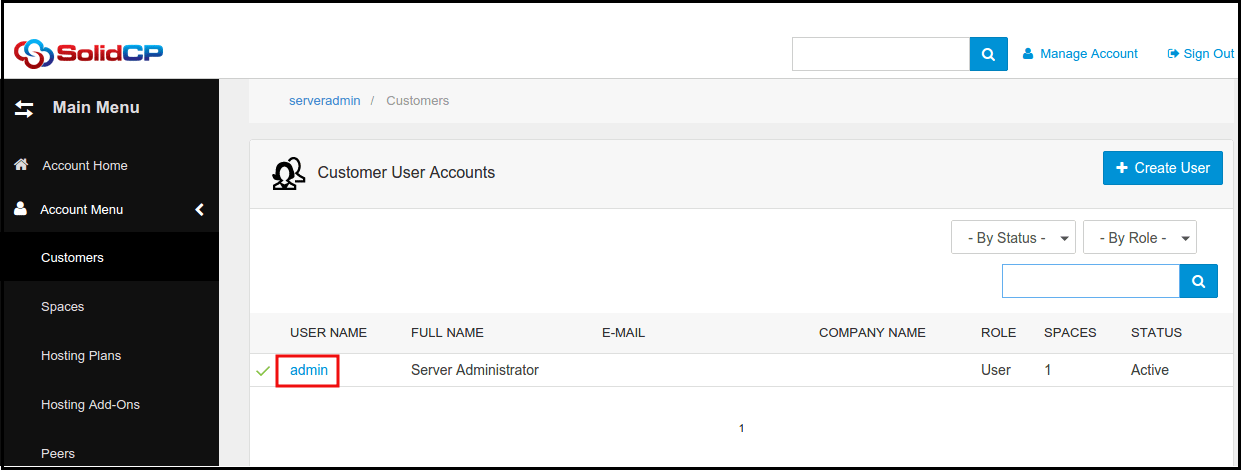
- In the next screen, you will see the list of all created users. If you have not created any user yet, you'll see the default admin user there. Click the username link under an email account is created.
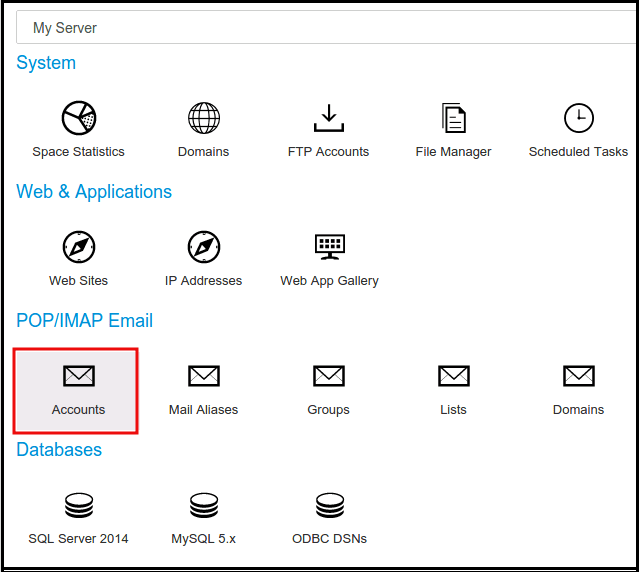
- In the next screen, you will see icons for all services you can manage from SolidCP. Under POP/IMAP Email section click on Accounts icon.
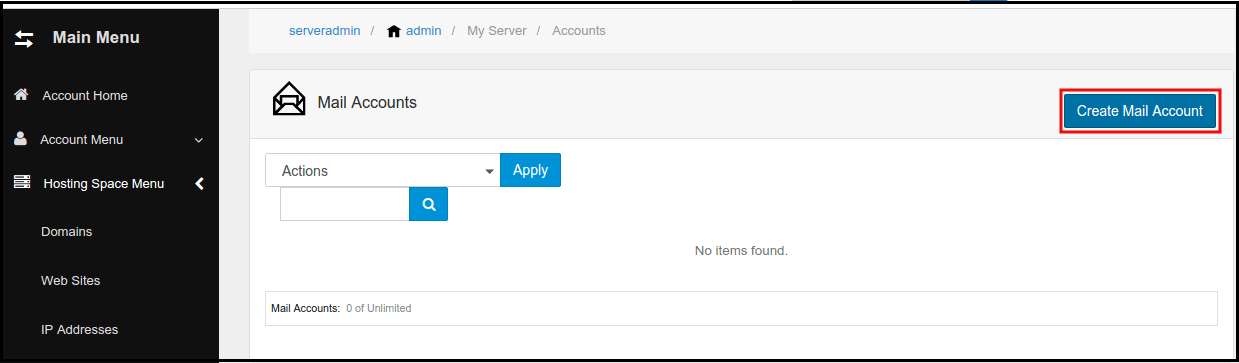
- In the next screen, list of previously created email accounts will be populated. To add a new email account, click on Create Mail Account button.
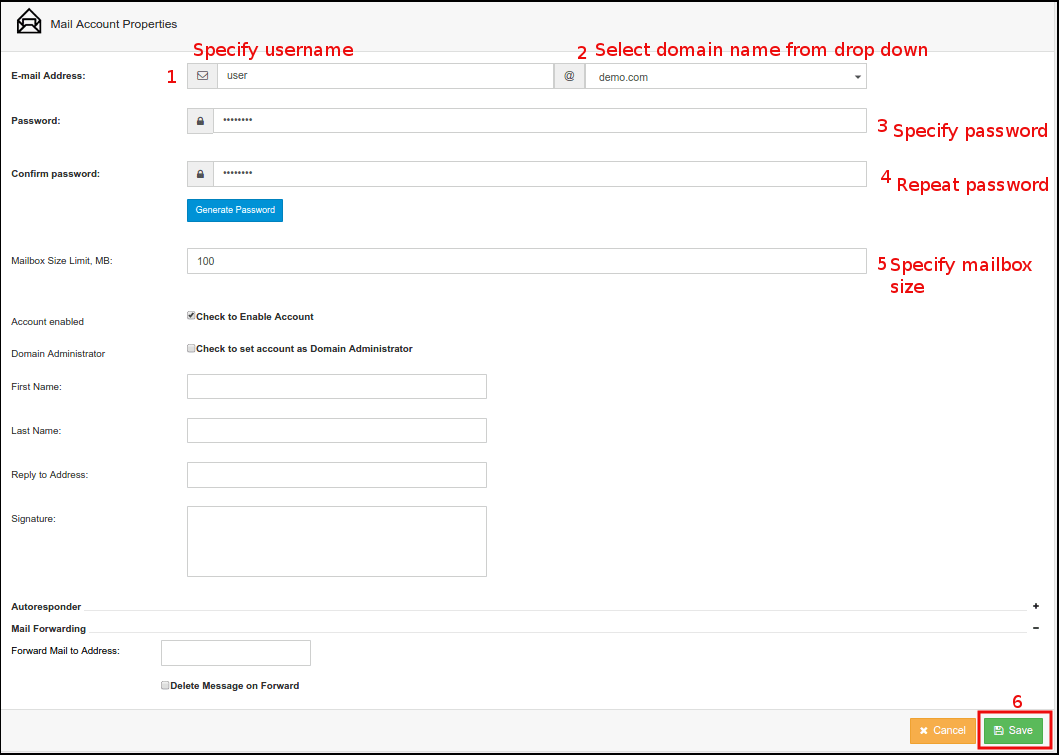
- In the next screen, specify new mailbox information. Enter name of new mailbox, select the domain name from the drop-down menu. You can use auto generated password by clicking Generate Password button. To see and copy the password, you'll have to point the control on password field box.
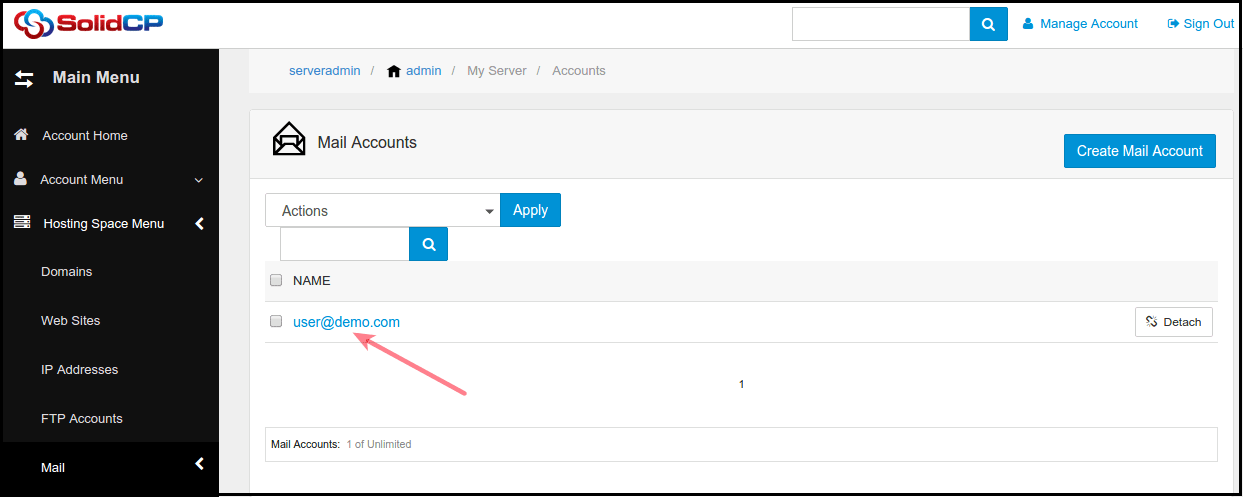
- Once new mailbox is created, you could see it in the list of all email accounts.
Related Articles
How to Fetch External Email into Gmail
1. Open the Gmail account you want to import from. 2. Click on the gear icon in the upper right corner of the page and select Settings as shown in the picture below. 3. Click On See All settings 4. Go to the Accounts and Imports section and click on ...
Email id configure on ipad and iphone.
IPad IPhone Zimbra NE incoming and Outgoing Server Details Email id configure on iPad # Step: 01 1. For configuring email id on ipad, please open the iPad and click on the email icon available at the iPad dock. # Step: 02 2. Now croll down and tap on ...
How to add FTP account in SolidCP
Steps to follow to add a ftp account in SolidCP Login to SolidCP. Once you are logged into SolidCP, click on All Customers link. In the next screen, you will see the list of all created users. If you have not created any user yet, you'll see the ...
How to reset an email account password in SolidCP
Steps to follow to reset Email password in SolidCP Login to SolidCP. Once you are logged into SolidCP, click on All Customers link. In the next screen, you will see the list of all created users. If you have not created any user yet, you'll see the ...
Server-Wide Email Settings in Plesk
Server-wide Email Settings in Plesk For managing Server Wide Email Settings in Plesk, you may follow the below options once you Login into the Plesk Panel. General options Outgoing mail mode Relay options Turn on limitations on outgoing email ...