How to change PHP version from Plesk panel
How to change PHP version from Plesk panel
Follow the below-mentioned steps to change the version of the PHP from Plesk
- Visit the URL http://<your_domain>:8880 or https://<your_domain>:8443 (For SSL) and login.
- Click on any of the links as Hosting settings marked as given below.

- Select the PHP version you want to run and select the application type(run PHP as) from the dropdown. Click OK to update the changes.
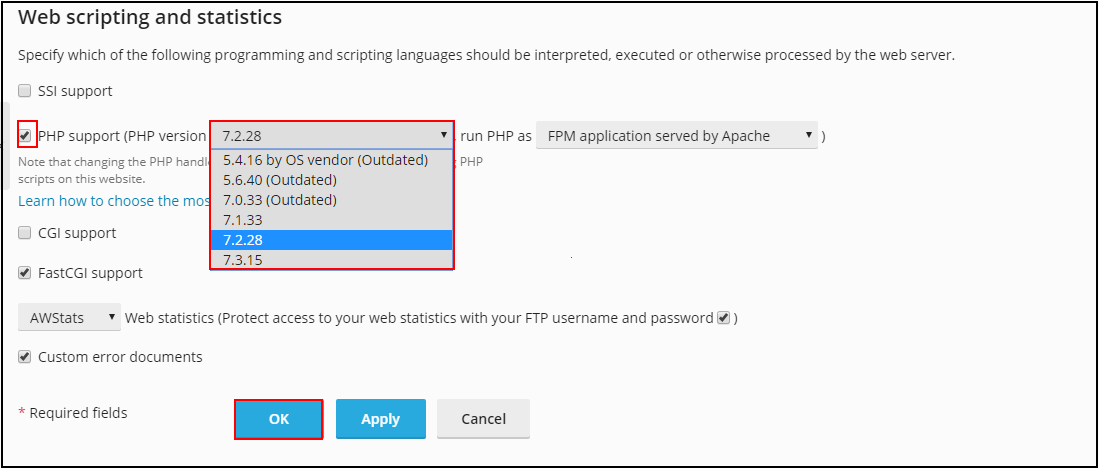
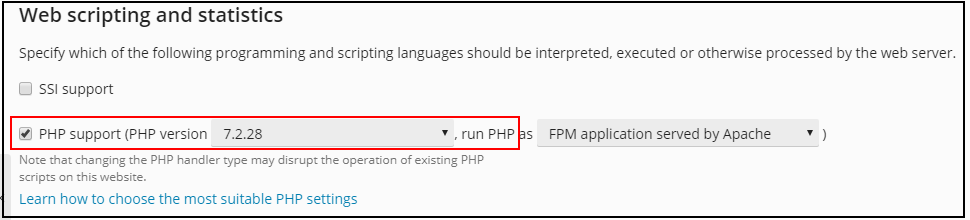
- Verify by checking again the version of the PHP that reflects or can also by checking from the website by the command in php codebase (<?php phpinfo(); ?>).
To Change PHP Settings or Parameter Manually From Plesk Obsidian Panel, Please follow the below given KB link:
https://kb.diadem.in/index.php?View=entry&EntryID=1294
Related Articles
How to enable ionCube Loader module for PHP shipped with Plesk on Linux
How to enable ionCube Loader module for PHP shipped with Plesk on Linux Installing ionCube Loader via the Plesk Control Panel interface Manually installing ionCube Loader using the Command Line interface Reference KB : Installing ionCube Loader via ...How To Change PHP Settings or Parameter Manually From Plesk Obsidian Panel
How To Change PHP Settings or Parameter Manually From Plesk Obsidian Step 01: Login to the Server's Plesk Obsidian Panel. Step 02: Select Websites & Domain and select the hosted Domain Name. Step 03: Click on PHP Settings. Step 04: Change the ...Important Plesk CLI Commands
Important Plesk Linux CLI Commands If Plesk throws an error, these logs will help. /usr/local/psa/var/log /opt/psa/admin/logs /var/log/sw-cp-server/error_log /usr/local/psa/admin/logs/panel.log /usr/local/psa/admin/logs/httpsd_access_log ...Reset Plesk Demo Control Panel Login
In order to reset the login details periodically for the demo control panel, the bset option would be to restore the demo domains and client logins through the Plesk Backup/Restore Command Line Utility. For Linux Server Login to shell as root user. # ...How to download website backup using plesk control panel
Steps to download website backup using Plesk Step 1: At first login to the Plesk control panel and click on Website & Domains then select the domain for which you want to take the backup and then go to file manager. Step 2: Select the folder (or ...