How to restore a MS SQL database from SolidCP
Steps to follow to restore MSSQL database in SolidCP
- Login to SolidCP
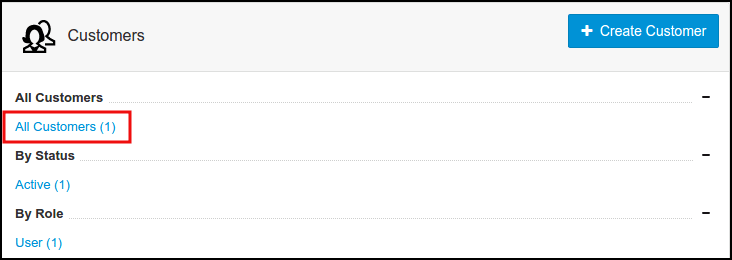
- Once you are logged into SolidCP, click on All Customers link.
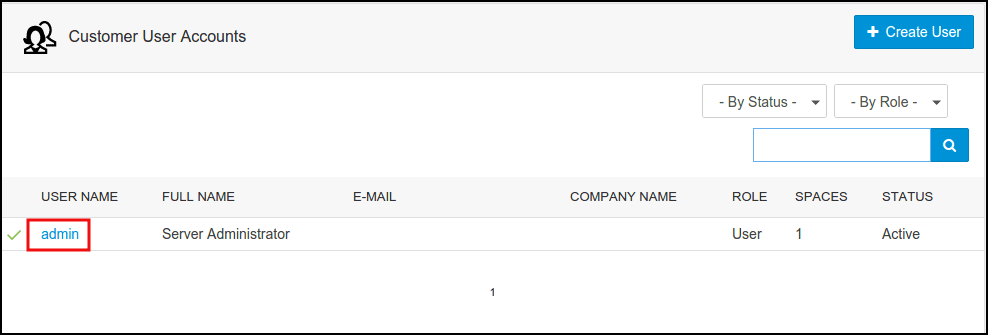
- In the next screen, you will see the list of all created users. If you have not created any user yet, you'll see the default admin user there. Click the username link under MS SQL database is created.
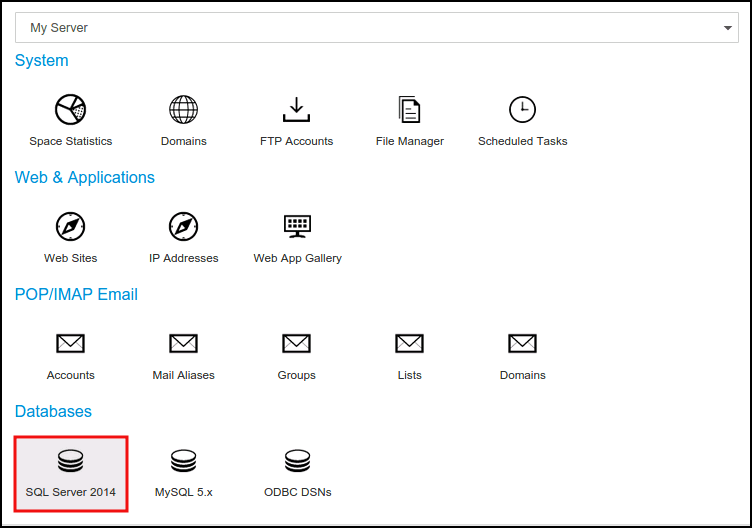
- In the next screen, you will see icons for all services you can manage from SolidCP. Under Databases section click on SQL Server 2014 icon.
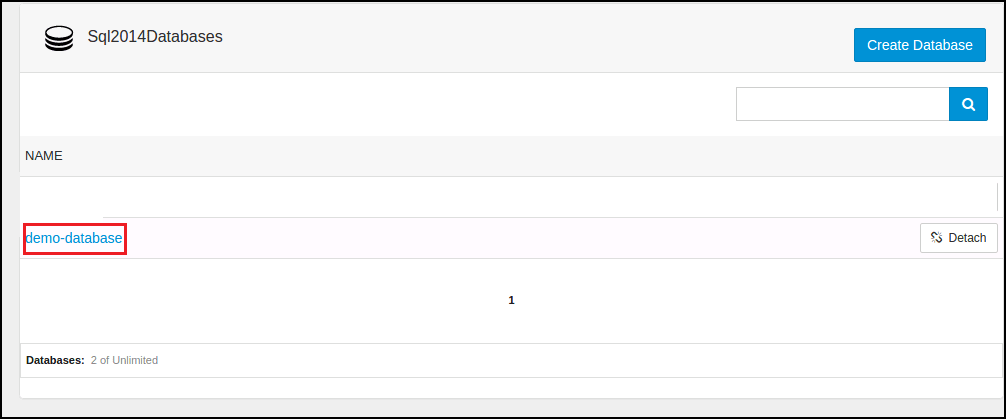
- In the next screen, you will see the list of MS SQL databases. Select the MS SQL database you want to restore.
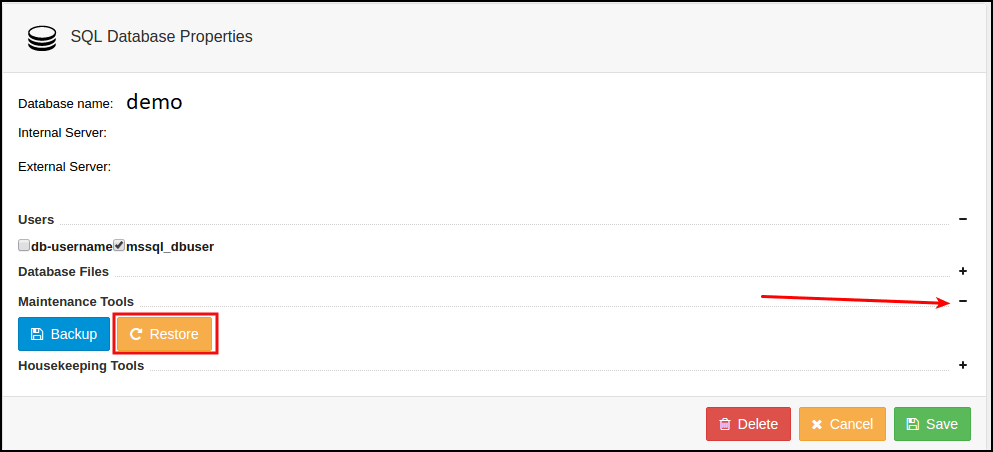
- In the next screen, expand the Maintenance Tools and click on Restore button.
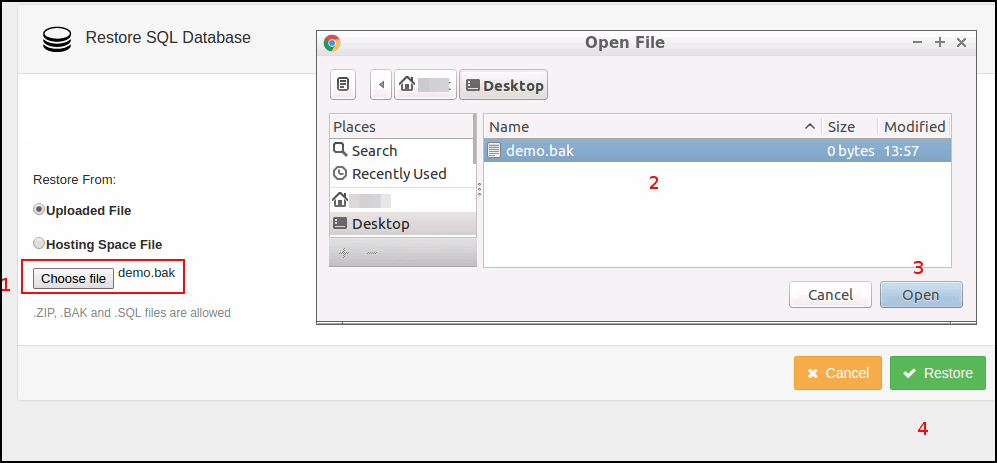
- In the next screen, you'll be given two methods to restore.if your database backup file is stored in your local computer, select Uploaded File radio button. Click on Choose File to select the database backup file (.BAK file only) from your local computer and click Restore button.
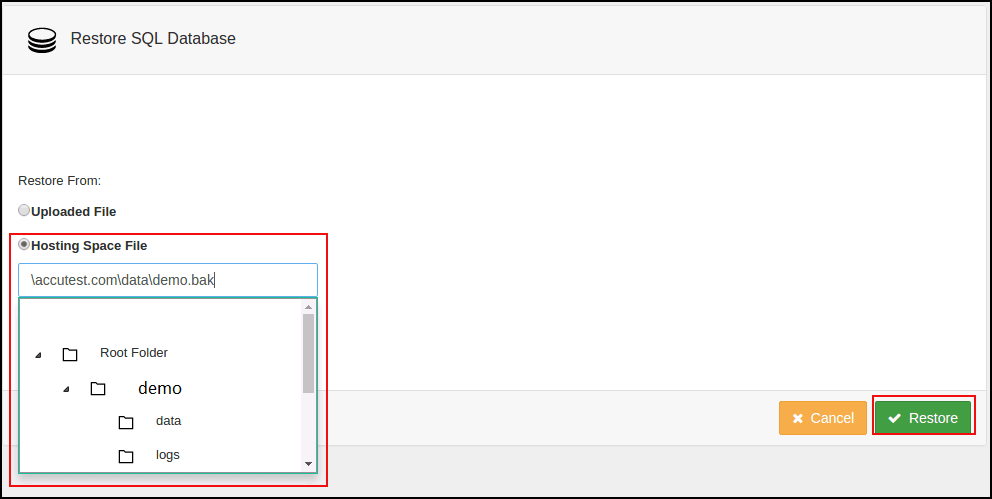
- database backup file is stored in hosting space then Hosting Space File. Select the database backup file from your hosting space and Restore button.
Related Articles
Backup and restore MySQL database with Plesk
Backup and restore MySQL database with Plesk Description: In Plesk, database dumps are created in the SQL format and saved as ZIP archives. If you need to create a dump in another format or to set custom settings for a dump, use the native ...How to change MS SQL database user password from SolidCP
Steps to follow to change MSSQL database password in SolidCP Login to SolidCP. Once you are logged into SolidCP, click on All Customers link. In the next screen, you will see the list of all created users. If you have not created any user yet, you'll ...How to add MS SQL database in SolidCP
Steps to follow to add a SQl database in SolidCP Login to SolidCP. Once you are logged into SolidCP, click on All Customers link. In the next screen, you will see the list of all created users. If you have not created any user yet, you'll see the ...MS SQL database creation
Log in SQL Server Management Studio to create database. Create a folder in "C:\SQLdomain\" as your domain name. C:\SQLdomain\testdomain.com Click right mouse button on Databases to open database menus and click New Database link. Assign a Database ...How to take MSSQL database backup from SolidCP
Steps to follow to take MSSQL database backup in SolidCP Login to SolidCP. Once you are logged into SolidCP, click on All Customers link. In the next screen, you will see the list of all created users. If you have not created any user yet, you'll see ...