Server Resource Utilisation Monitoring with Plesk
Plesk Server Monitoring helps to keep your Plesk running smoothly by tracking the server resource usage and notifying you when one or more resource usage reaches a predefined threshold.
Note : For more information look for the reference url given below
https://docs.plesk.com/en-US/obsidian/administrator-guide/statistics-and-monitoring/monitoring.68886/
In order to access and check Server Monitoring, follow the below mentioned steps:-
1. Login to your Plesk panel using your Username and Password.
2. Now look for the option Monitoring on the left menu bar and click on it.

.png)
3. Select on any tab of server resource which you want to check the monitoring, for example lets choose CPU and check its monitoring data.
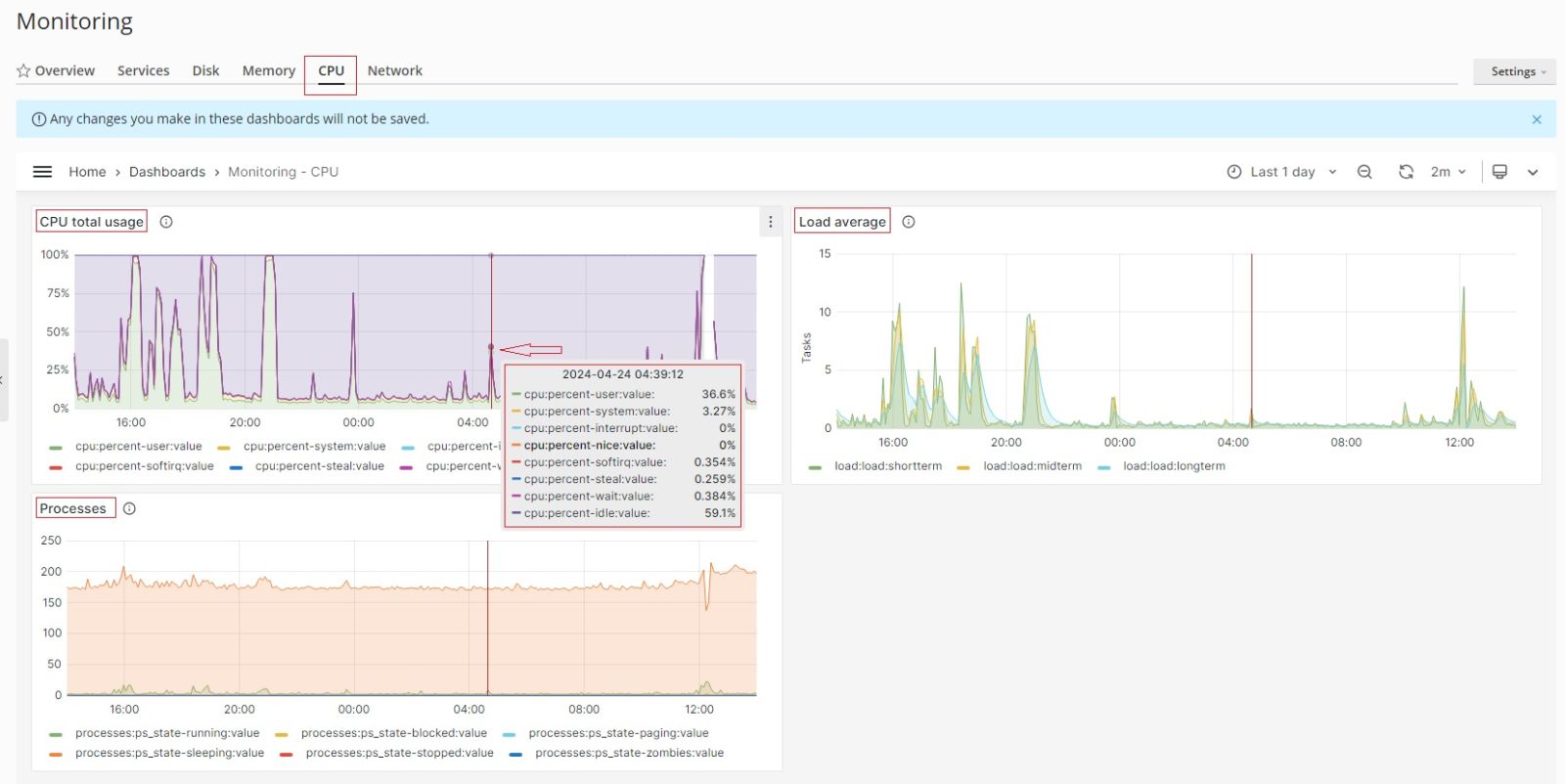
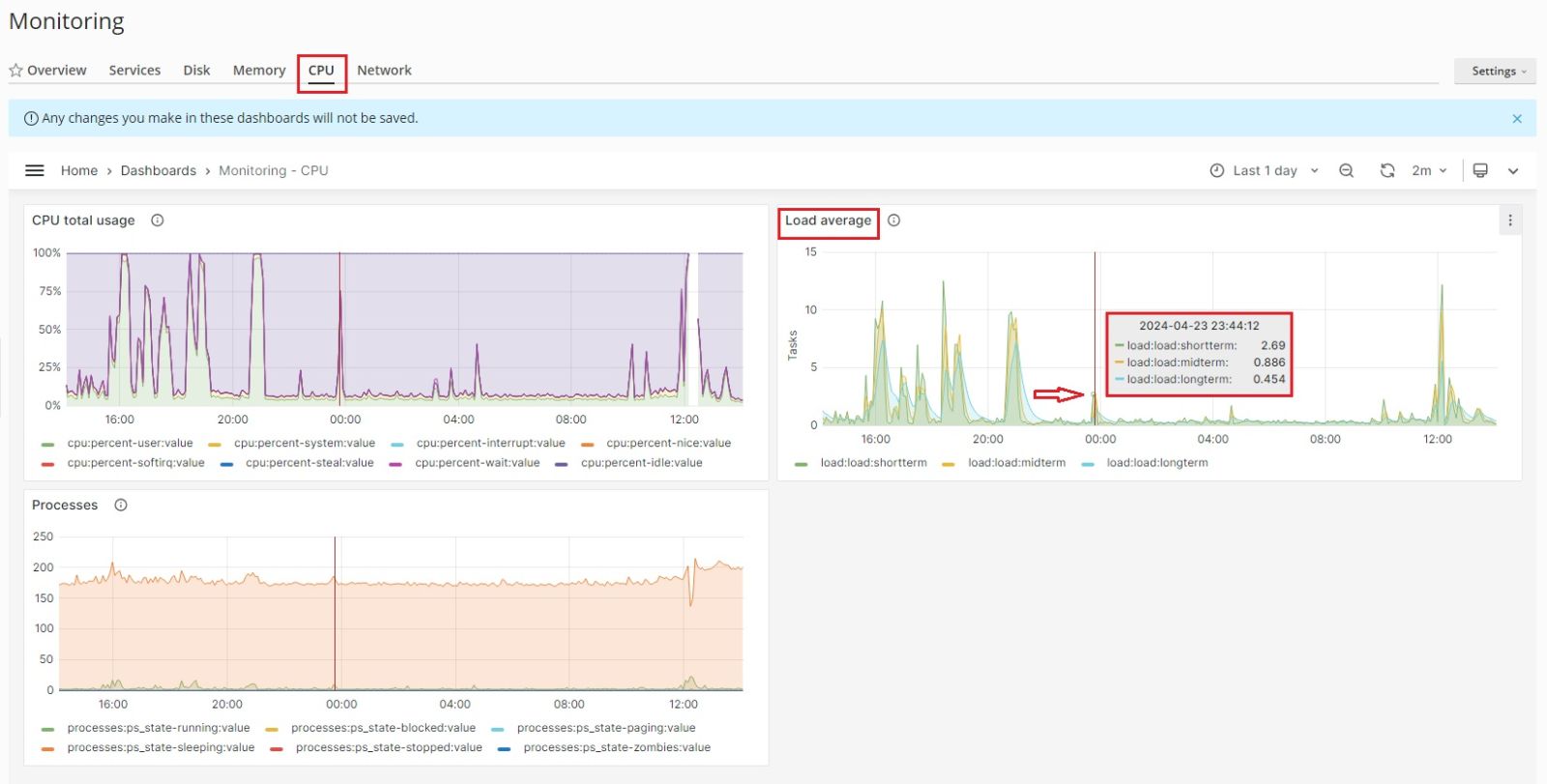
4. You can select how often Monitoring auto-refreshes its data: for example, each five seconds or each hour. You can also turn off auto-refresh and refresh the data manually by clicking the refresh icon. By default, Monitoring auto-refreshes its data every two minutes.
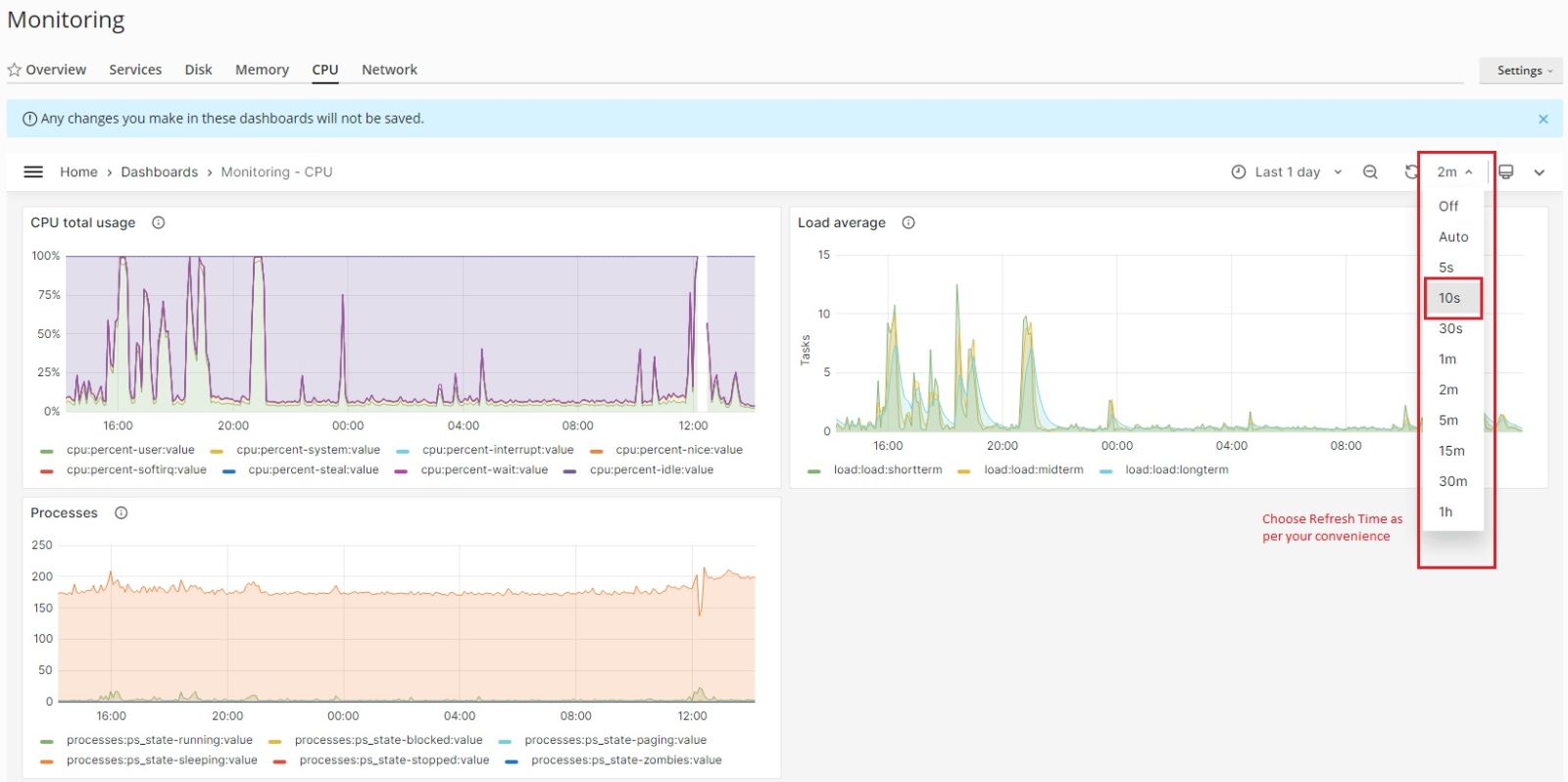
5. To change the time range for which the Monitoring graphs show data:
.jpg)
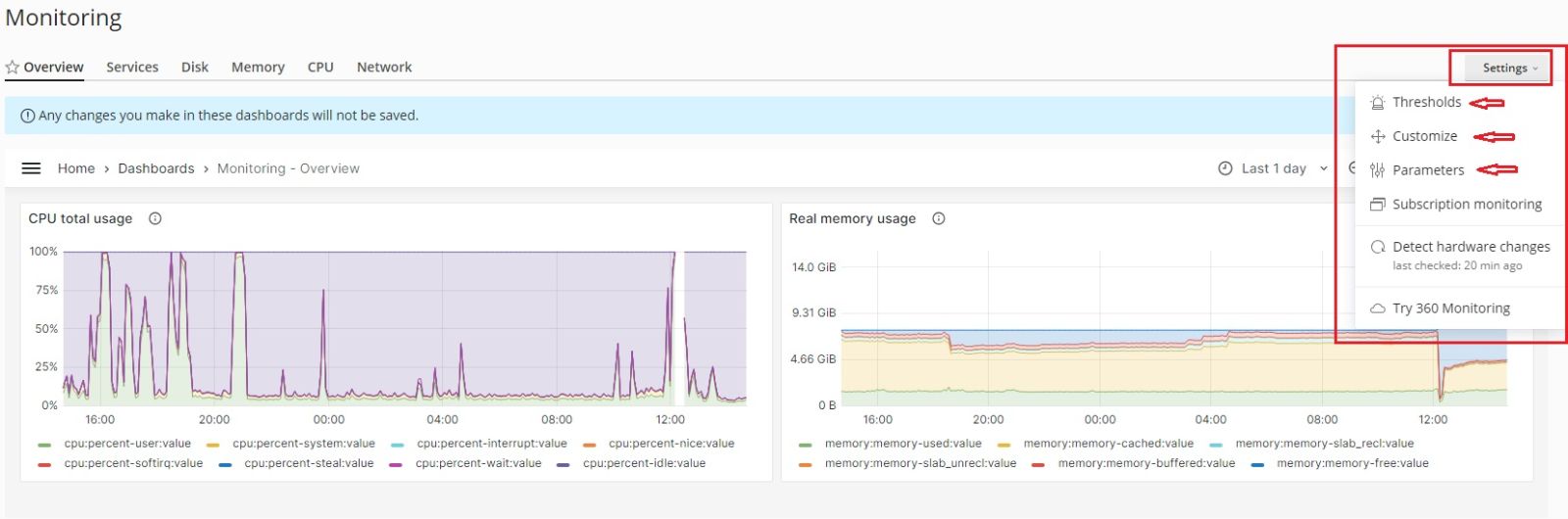
6. You can set the Thresholds for resource monitoring tracks, Customize the order or show/hide specific graphs, change the basic monitoring Parameters at Setting tab located at top right.
Related Articles
cPanel Backup Job monitoring
Cpanel Backup Job monitoring Reference KB on Cpanel Backup log location: https://support.cpanel.net/hc/en-us/articles/4402165344535-Where-are-the-cPanel-Backup-logs Reference KB on Cpanel backup on locally mounted remote filesystem: ...Resource Usage monitoring with Zabbix for Dedicated Nodes with Client VMs
Resource Usage monitoring with Zabbix for Dedicated Nodes with Client VMs Check Vm Access Check Latest Data Modify Time Period Change user Password Check VM Access Login to customer portal with the provided login details: Login to Zabbix Portal: ...Server-Wide Email Settings in Plesk
Server-wide Email Settings in Plesk For managing Server Wide Email Settings in Plesk, you may follow the below options once you Login into the Plesk Panel. General options Outgoing mail mode Relay options Turn on limitations on outgoing email ...Install Redis on Plesk Server
Install Redis on Plesk Centos 7 Server Install Redis on Server Base Enable Redis PHP Extension from Plesk Reference KB: https://bobcares.com/blog/install-redis-on-plesk/ https://supporthost.in/install-redis-on-a-plesk-server/ Install Redis on Server ...Setup Watchdog Service Monitoring in Plesk
Setup Watchdog Service Monitoring in Plesk The Watchdog component is a solution that ensures that your server is clean from malware, all services are up and running and there is enough free disk space on the server. Watchdog can start, stop, and ...